Page 1 of 1
Placing text in measuring arrows
Posted: Thu Feb 05, 2026 10:35 am
by Krischu
macOS, QCAD Pro 3.32.3.0
When applying measurments to mechanical engineering drawings it is convenient to position text such that it doesn't cover lines and
giving gaps to measuring arrows. Is this possible in QCAD?
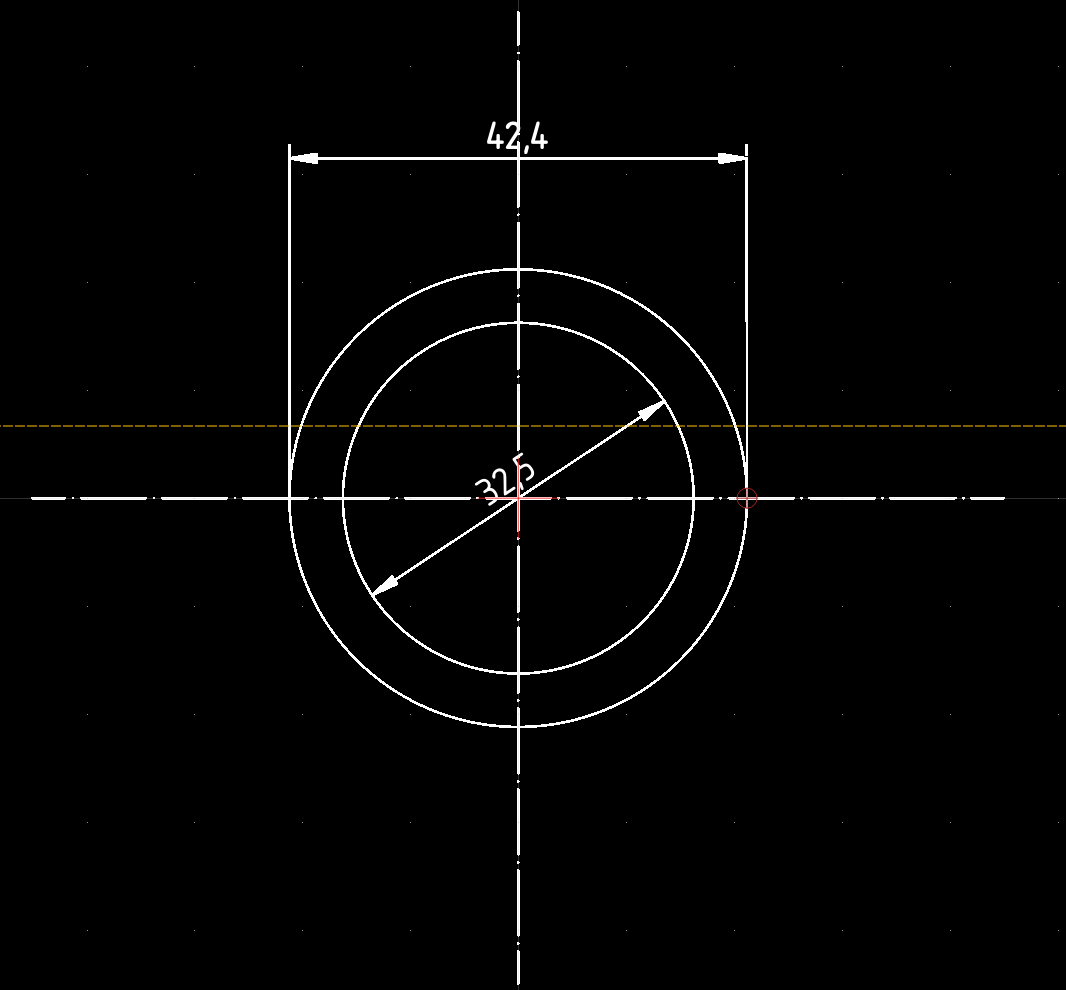
- Bildschirmfoto 2026-02-05 um 10.34.32.png (51.75 KiB) Viewed 2214 times
Re: Placing text in measuring arrows
Posted: Thu Feb 05, 2026 2:39 pm
by CVH
Krischu wrote: ↑Thu Feb 05, 2026 10:35 am
Is this possible in QCAD?
Yes,
Select the dimension and drag the label with its marker to any place you like.
Typically a blue marker in the center of the Label.
Note that on changing the dimension entity it may revert to default.
There is no method to alter the default behavior except the default drawing preferences or the entity properties.
Regards,
CVH
Re: Placing text in measuring arrows
Posted: Thu Feb 05, 2026 5:33 pm
by Krischu
Ah, thanks. This worked. Is there a way to disable snapping to entities while dragging, so one can easily place the text anywhere and not being caught by nearby conditions?
And can you comment on the second part of my question, leaving a gap in the measure arrow?
Re: Placing text in measuring arrows
Posted: Thu Feb 05, 2026 5:39 pm
by CVH
Krischu wrote: ↑Thu Feb 05, 2026 5:33 pm
Is there a way to disable snapping to entities while dragging,
Yes,
Snap Free (
SF)
Snap options are also shown typically at the left when a coordinate input is required.
In this case for the new position of the label.
Then it is the leftmost highest button.
Please, one question per topic.
See above forum rules in red.
Regards,
CVH