Page 1 of 1
DWG Import
Posted: Wed Sep 02, 2020 8:46 am
by martblek
Hello,
using 3.25 version of QCadCam and there is some strange things with import .dwg files.
First is angle and hole dimension.
File 0030.dwg
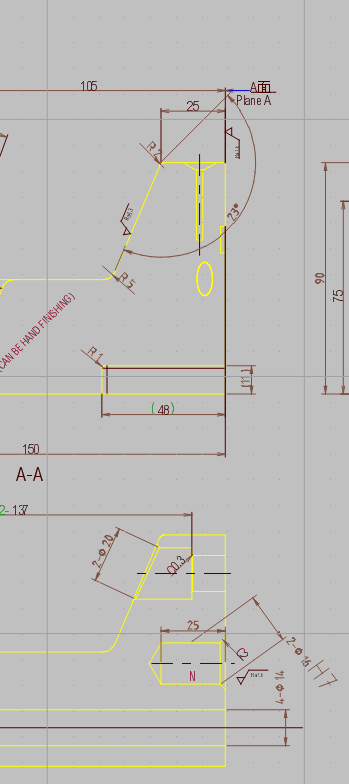
- qcad3_25_0.PNG (31.36 KiB) Viewed 5170 times
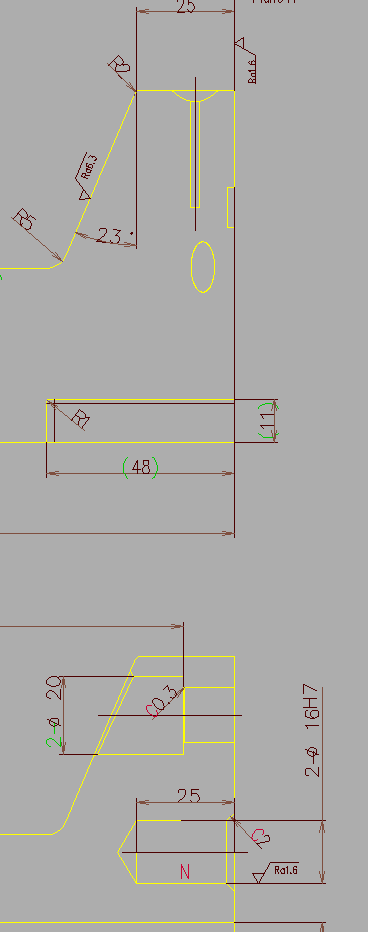
- SLD_2D_Editor.PNG (11.23 KiB) Viewed 5170 times
And second is too much diameter dimensions from zero coords.
File 0002.dwg
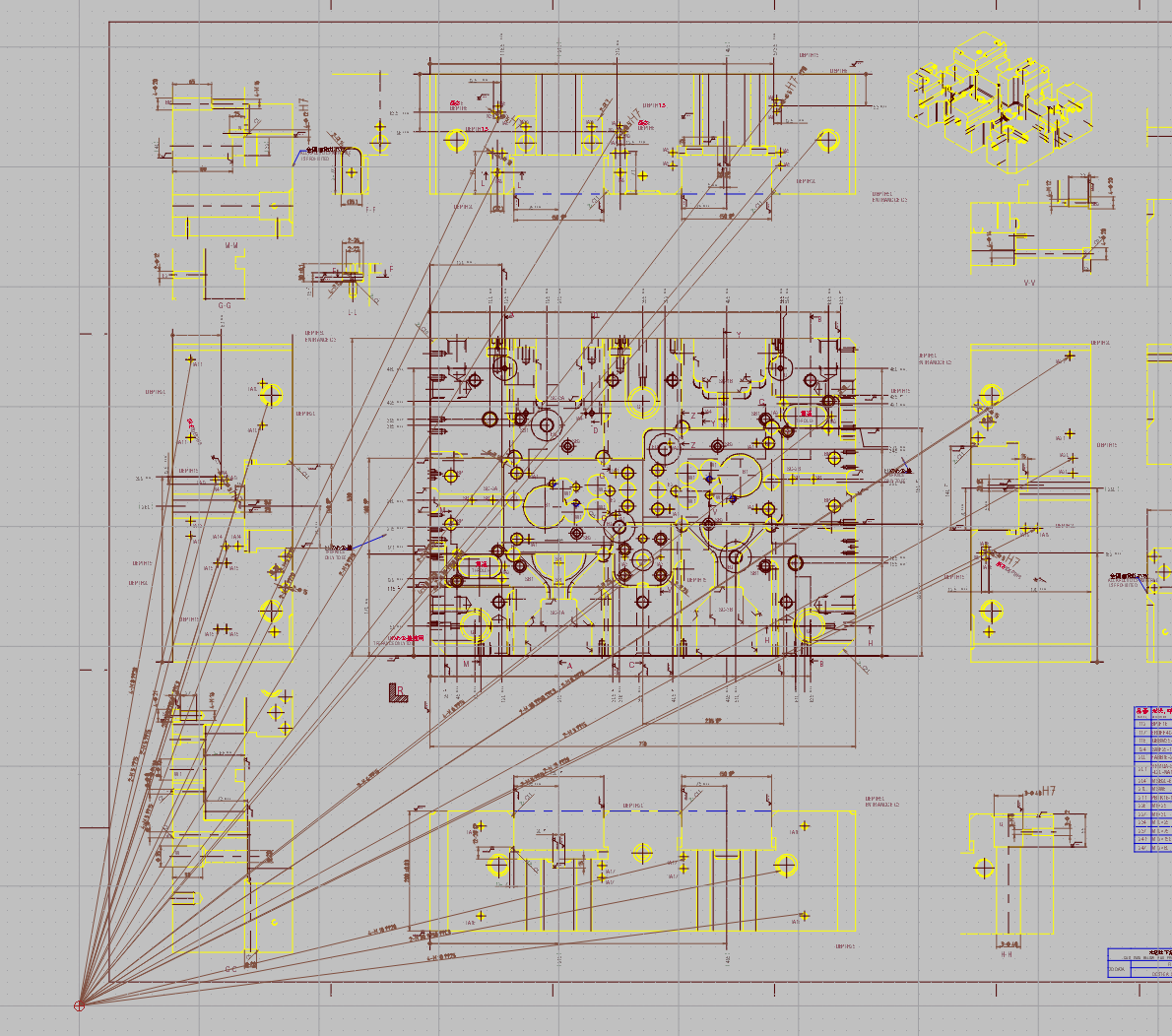
- strange.PNG (382.13 KiB) Viewed 5170 times
Tested in old Solidworks 2DEditor, EDrawings and VariCAD viewer with no prob.
This happening on many drawings i have

Thanks.
Re: DWG Import
Posted: Wed Sep 02, 2020 9:02 am
by andrew
The dimensions in this file are stored with invalid / wrong coordinates.
The way this works is as follows:
- Each dimension is stored with various reference points that define from where to where the dimension measures, where the dimension line is placed, etc.
- Each dimension is also stored with a dimension block which contains the visual representation of the dimension (lines, arrows, etc.) as a type of cache.
- Usually, these two sets of information correspond with each other - in these two drawings they don't.
- Other CAD applications might simply show the cached dimension block, regardless of the reference points stored in the file. Note that if you modify such a dimension ever so slightly in another CAD application (e.g. by moving a reference point slightly), the dimension will be re-rendered and will look as shown in QCAD.
- QCAD always renders dimensions from their reference points. Dimension block caches are ignored.
You can force QCAD to use these dimension block caches using the command line switch -recompute-dim. This is only recommended if you only want to export or print a file "as is").
Re: DWG Import
Posted: Wed Sep 02, 2020 9:24 am
by martblek
Ok.
Thank you for answer.
With this option working perfectly.
Re: DWG Import
Posted: Fri Sep 04, 2020 11:06 am
by martblek
Hello ,
like i said, with this option "-recompute-dim" importing work ok.
I tried to export as SVG, there is no problem with result
But if i want to export as PDF i must change paper size and then these dimension lines are back