Well,
I threw the 'PRO' in regarding it was your first post and a post in the 'QCAD Professional Version' & 'How do I' forum.
At the top of this page the Forum Rules are displayed.
We can't know that you are PRO / Trial or CE ....
I'll mark this topic to be moved.

It may get moved to the 'QCAD Community Edition' forum.
Not PRO ... Then you should not have fitpoints type splines functionality.
https://qcad.org/en/documentation/features
Nor a lot of spline functionalities.
First:
-Do you see two fitpoint splines in the file? (shape1 & 2)
-Do you see the Layer List? Else Menu .. View .. Layer List or simply type GY
If so:
Hide layer 'Cutter' (the red one).
Hide layer1.
Zoom in on the spline segment inside the magenta rectangle what was freely drew as 'Cutter2'
Type D2 (Break out Segment), look at the options bar (left high) and set option 'remove segment'
Now point to the segment inside the rectangle and click.
Normally QCAD will break out a segment near your pointer and between two intersections.
I made those intersections pretty obvious.
If it fails to break out the spline segment from one side to the other ...
Delete my fitpoint spline an draw a new one.
As CE user that can only be a control point type.
Repeat the breakout trial.
If that fails you have two options:
Become PRO or convert (Explode (XP)) the spline to a polyline.
A functionality that is marked as PRO but not that long ago a CE user could do that.
How good the polyline will match the spline depends on settings in the Application Preferences.
Type Ctrl+, (Hold control and type 'comma') .. Modify .. Explode
The smaller the absolute tolerance, the more 'arc-segments' are used for the polyline.
And clear the option poly with line-segments.
mab wrote: ↑Tue Jul 21, 2020 5:41 pm
What are "screen based linetypes"?
QCAD will render your lines with there lineweights.
These can become very thick while zooming in.
There are more solutions: screen based, draft ... alter weights.
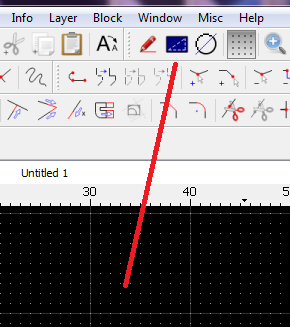
- ScreenBased.png (19.3 KiB) Viewed 19618 times
Regards,
CVH


